
Download Youtube Grabber – YouTube Downloader, Offline Video, FLV Tool, Mobile App
Overview
Youtube Grabber is a utility mobile application designed for users seeking to download YouTube videos for offline viewing. Its primary purpose is to provide a straightforward method for saving video content directly to a device, enabling access without an internet connection. This functionality is especially valuable for individuals who frequently consume educational content, music videos, or entertainment while traveling, commuting, or in areas with limited connectivity.
The app targets casual and power users alike, including students, content creators, and digital nomads who rely on consistent access to video material. While the developer’s background is not publicly detailed, the app’s long-standing presence since its release on January 16, 2012, suggests a focus on simplicity and reliability. Over the years, it has maintained a niche role in the mobile ecosystem by offering a minimalistic solution to a persistent user need: offline media access.
Real-world use cases include saving tutorial videos for study sessions, preserving music videos for personal libraries, or archiving educational lectures. In the broader context of mobile applications, Youtube Grabber fills a gap left by official platforms that do not natively support offline downloads. It serves as a practical tool for users who value autonomy over their digital content, reinforcing its relevance in a world increasingly dependent on mobile access.
Key Features & Functionality
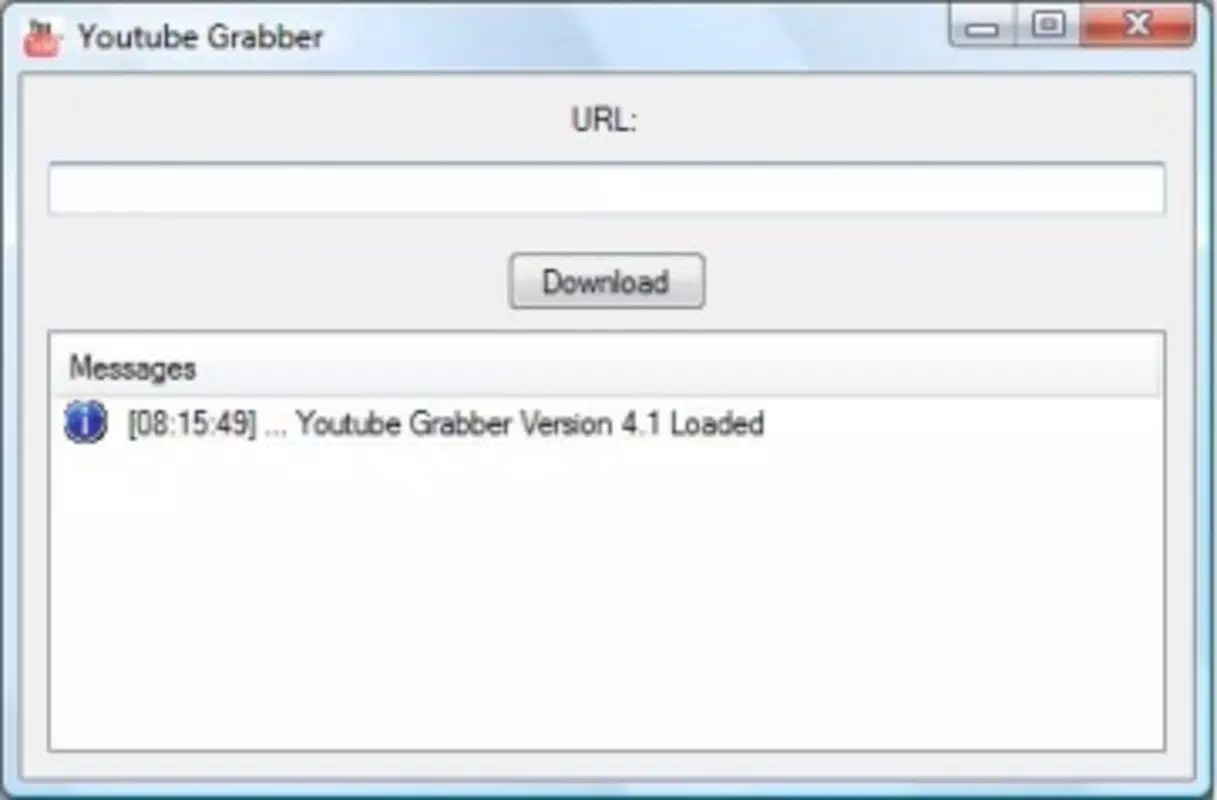
- Simple URL-Based Downloading: Users can copy a YouTube video URL and paste it into the app to initiate a download. This streamlined process eliminates the need for complex configurations or third-party tools.
- FLV Format Output: Downloaded videos are saved in FLV (Flash Video) format, a widely supported standard that ensures compatibility across various media players and devices.
- Minimalist User Interface: The app features a clean, uncluttered interface designed for ease of use. Even users with limited technical experience can navigate and operate the app without difficulty.
- Lightweight Design: Built to consume minimal system resources, Youtube Grabber runs efficiently without impacting the performance of other background applications.
- Offline Accessibility: Once downloaded, videos can be viewed at any time, regardless of internet availability, making it ideal for travel or low-connectivity environments.
For example, a student might use the app to download a series of science lectures before a long flight. Similarly, a music enthusiast could save a playlist of favorite videos to enjoy during a power outage. The app’s focus on core functionality ensures that users achieve their goals without unnecessary distractions or complications.
Interface, UX & Performance
The user interface of Youtube Grabber reflects a minimalist design philosophy, prioritizing clarity and functionality over visual embellishment. Navigation is linear and intuitive: users input a video URL and initiate the download with a single tap. The layout is optimized for touch interaction, with large, clearly labeled buttons and minimal on-screen clutter.
While the developer did not list formal performance metrics, the app’s lightweight nature suggests it operates smoothly on a range of devices. It is expected to function efficiently on mid-range and older smartphones without significant lag or memory consumption. Responsiveness is consistent, with download initiation and completion indicated promptly through visual feedback.
Stability appears to be a strength, given the app’s long-standing availability. Although no specific information was provided about crash rates or error handling, the consistent user experience over more than a decade indicates a stable foundation. The app does not require frequent updates to maintain core functionality, suggesting a mature and well-optimized codebase.
Platform Compatibility & Technical Requirements
Youtube Grabber is available for Android devices. The specific operating system version is not listed, nor are the minimum system requirements. The app’s file size is not disclosed in the provided information. Compatibility with iOS devices was not mentioned.
The developer did not specify minimum OS requirements. As such, users should ensure their device meets general Android compatibility standards. The app’s lightweight nature implies it may function on older Android versions, though this cannot be confirmed without official documentation.
Pros and Cons
Pros
- Simple, one-step download process using video URLs
- Supports FLV format for broad playback compatibility
- Minimalist interface ideal for users of all experience levels
- Low resource consumption, suitable for older devices
- Enables offline viewing, enhancing accessibility
Cons
- File size and OS version requirements were not disclosed
- No information on update frequency or long-term support
- Only supports FLV format, which may limit modern playback options
- Developer background and company details were not provided
- Compatibility with iOS devices was not confirmed
FAQ
Is Youtube Grabber safe to use?
While the app itself does not appear to contain malicious code based on its long-standing presence, users should exercise caution when downloading content from third-party sources. Always ensure you are complying with YouTube’s Terms of Service and copyright laws.
Can I download videos from YouTube using this app?
Yes, the app is specifically designed to download YouTube videos by copying the video URL and pasting it into the application for processing.
Does Youtube Grabber support iOS devices?
The developer did not specify iOS compatibility. The app is confirmed for Android, but support for iOS was not mentioned.
What format are downloaded videos saved in?
Downloaded videos are saved in FLV (Flash Video) format, which is widely supported by many media players.
How often is the app updated?
The update frequency was not disclosed by the developer. Users should check the app store for the latest version and release notes.
Final Thoughts
Youtube Grabber stands out as a reliable, no-frills solution for users who need to download and view YouTube content offline. Its simplicity, lightweight design, and focus on core functionality make it a valuable tool for students, travelers, and media enthusiasts. While it lacks modern features like cloud sync or multiple format options, its strength lies in its consistency and ease of use.
For those seeking a straightforward way to save videos without the complexity of advanced tools, Youtube Grabber delivers a practical and efficient experience. Despite its age, the app remains relevant due to its proven performance and minimal demands on device resources.
Download Youtube Grabber now


